Module 3 · Investigate a number

Module quiz

16 items drawn at random from a bank of 16 · pass mark 75% · unlimited retakes

1. Which tab holds the individual records behind a KPI's total?

2. A KPI totals just over a million, but its List View footer reads *18 out of 604*. What is the first thing to check?

3. A KPI's Source reads *Query Builder* and its KPI Background shows a Query description. What can you find out without leaving that tab?
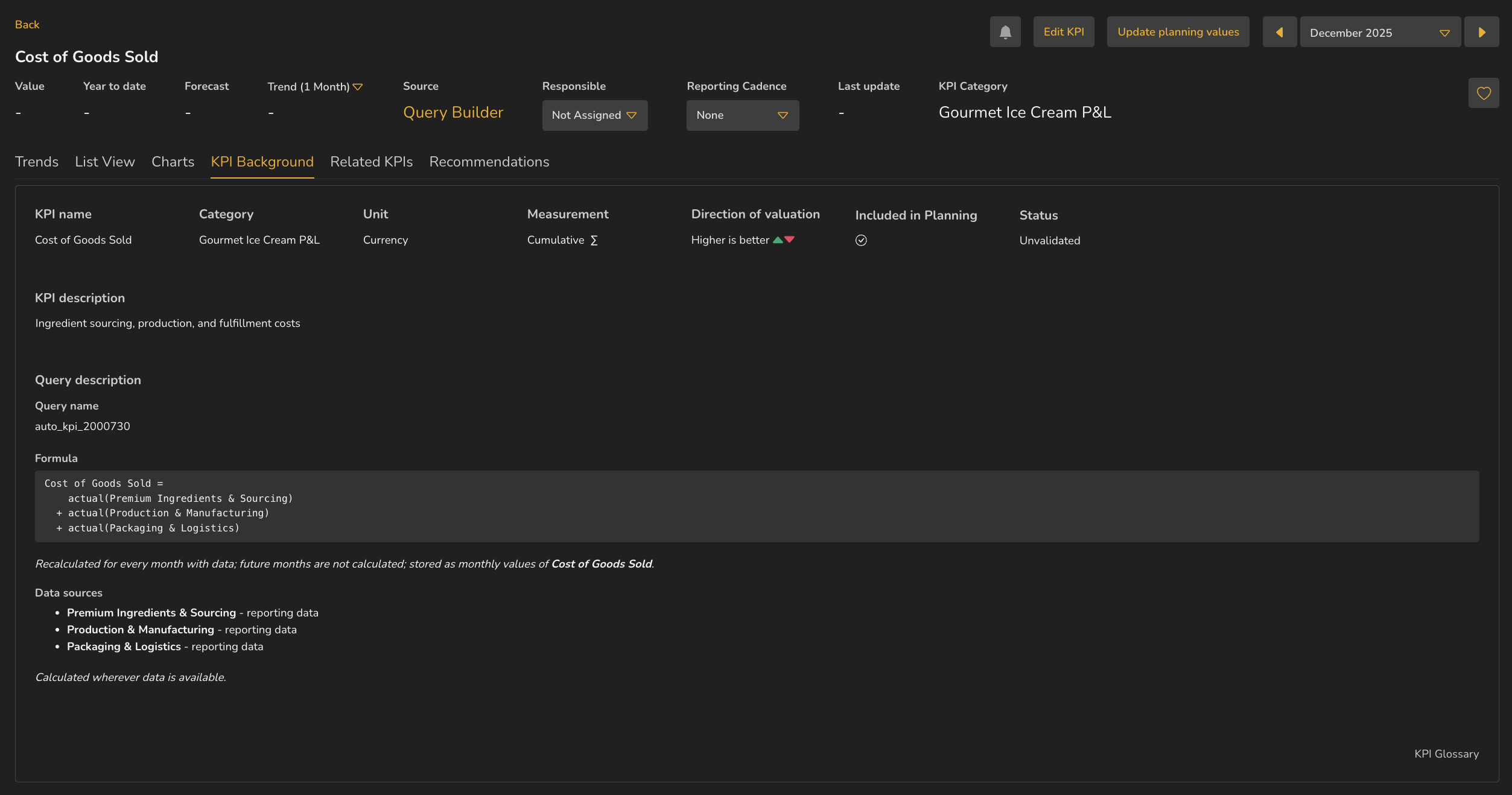
The KPI Background tab for Cost of Goods Sold, with Source reading Query Builder, and a Query description section giving the query name, formula, data sources and a note on how it recalculates.

4. Three KPIs are shown. Which would you be least comfortable putting in a board pack, and why?
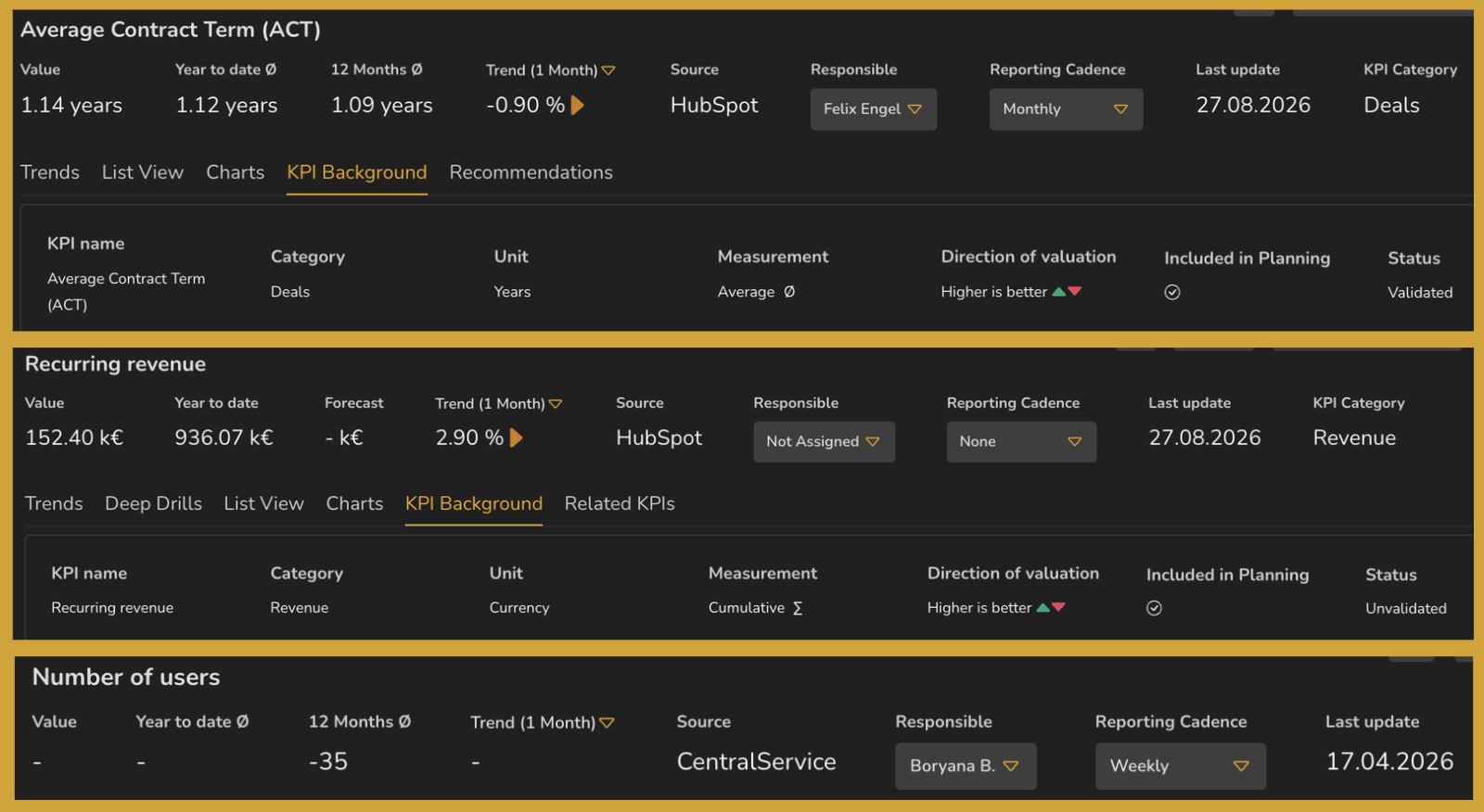
Three KPI headers stacked. The first has a named owner, a monthly cadence and Status Validated. The second has no responsible person, no cadence and Status Unvalidated. The third has an owner and a weekly cadence but a Last update several months old.

5. A deep drill splits recurring revenue into unchanged, expanded, new, reduced and churned customers. What does that let you say that the KPI alone doesn't?

6. This query is built from three component chips, each carrying a KPI id. What does that structure tell you?
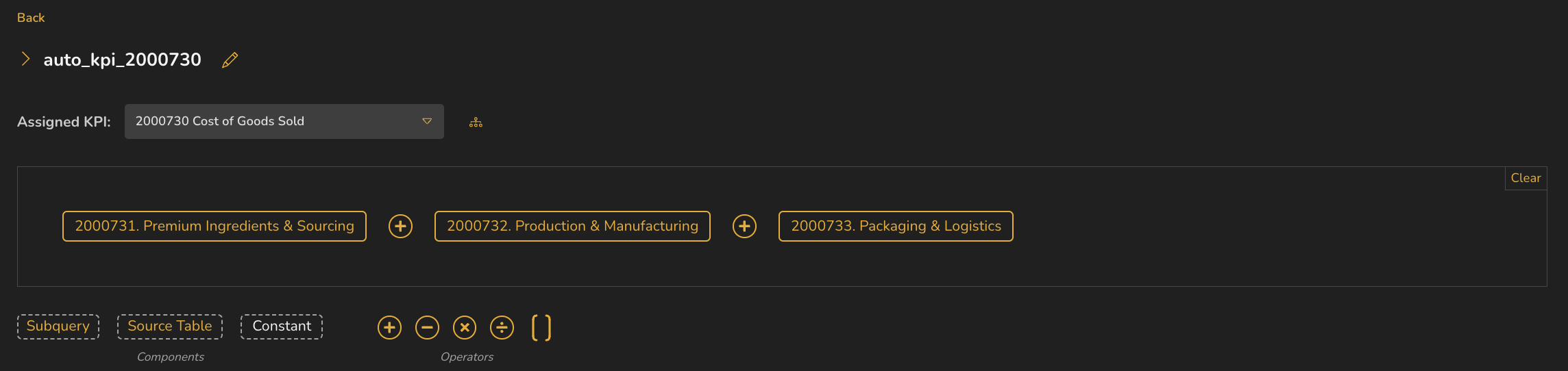
An open query showing the Assigned KPI dropdown and three component chips joined by plus operators, with the Subquery, Source Table and Constant palette and the operator palette beneath.

7. A cost KPI falls and the trend shows green. Which field on this tab explains that?
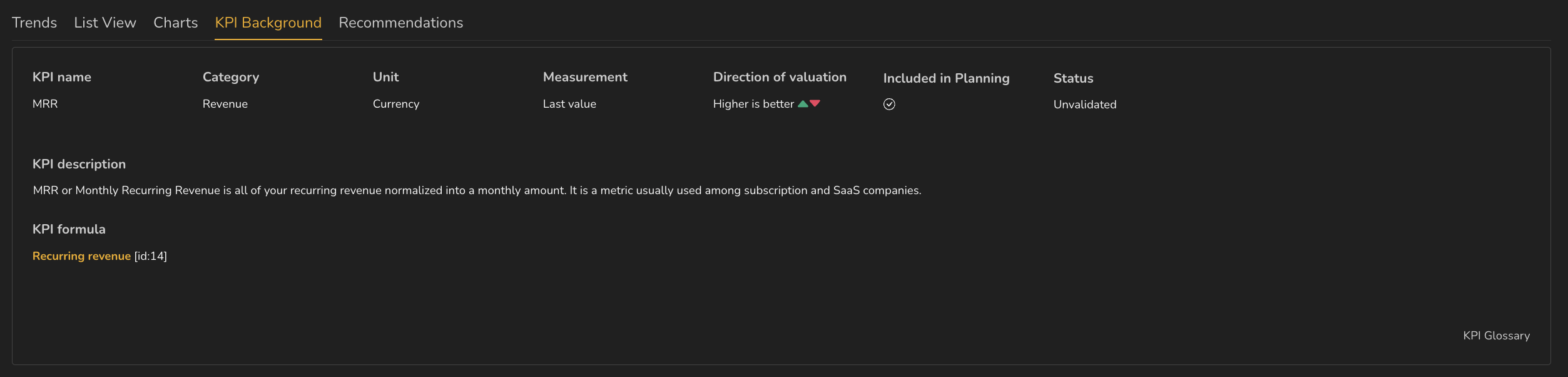
The KPI Background tab for MRR showing KPI name, Category, Unit, Measurement, Direction of valuation, Included in Planning and Status, above a KPI description and KPI formula.

8. An AI description explains a KPI's formula clearly and confidently. What has it *not* told you?
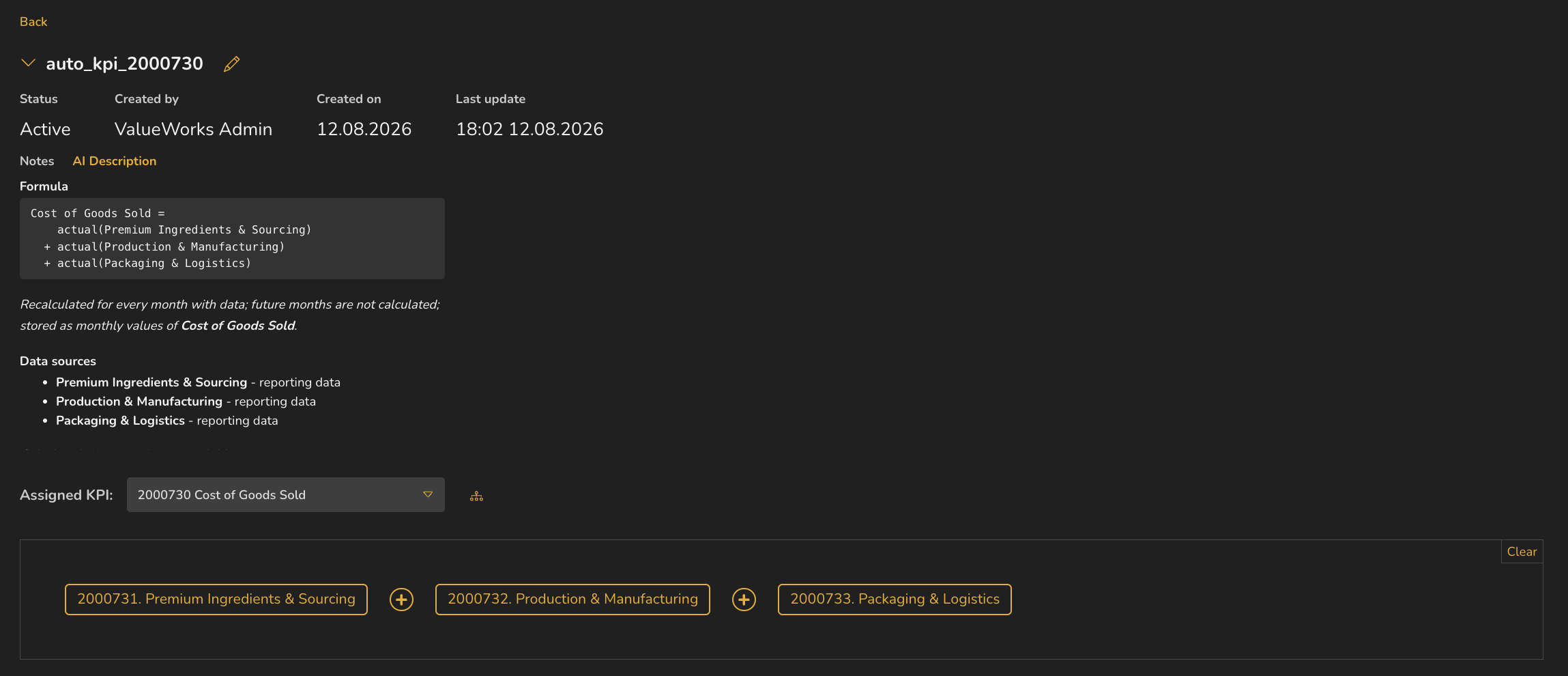
A query with its header expanded, showing Status, Created by, Created on and Last update, and the Notes and AI Description tabs with the formula, a recalculation note and the data sources.

9. A month only closes part-way through the following month. Your alert is set to offset 0. What will it keep checking?
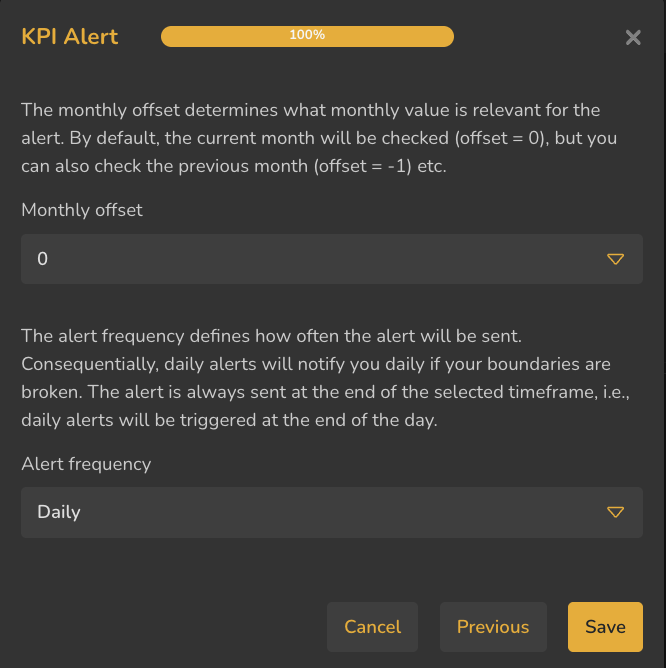
The KPI Alert dialog at one hundred percent, explaining monthly offset and alert frequency, with offset set to nought and frequency set to Daily.

10. A colleague needs to reconcile the list against the source system. Which export do you send?
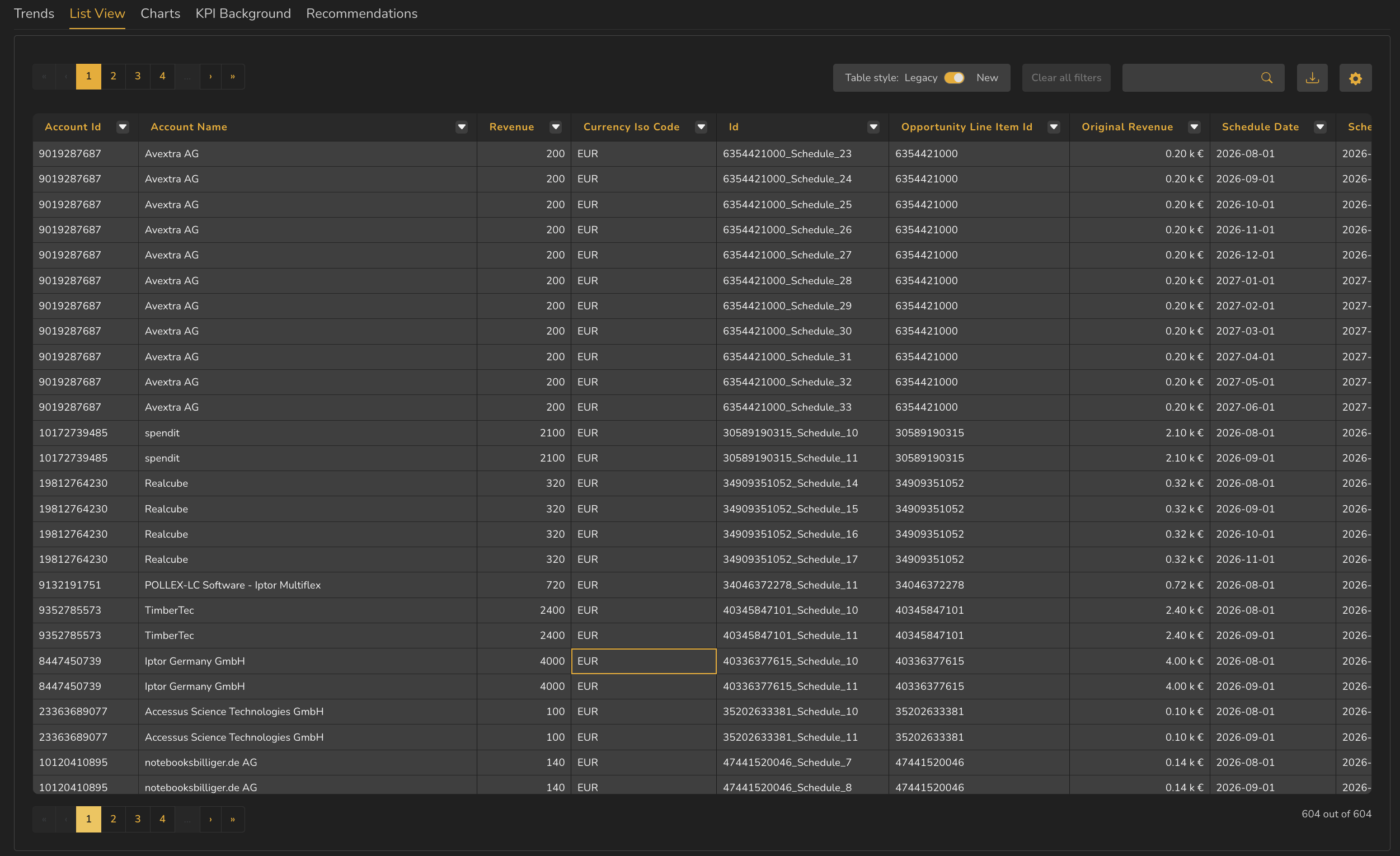
A populated List View showing account rows with revenue, currency and identifier columns, each header carrying a filter icon, and a toolbar with Clear all filters, search, download and column settings.

11. Gross margin looks wrong. Its query is three subqueries joined by operators. Where do you look next?

12. Which four settings define the chart shown here?
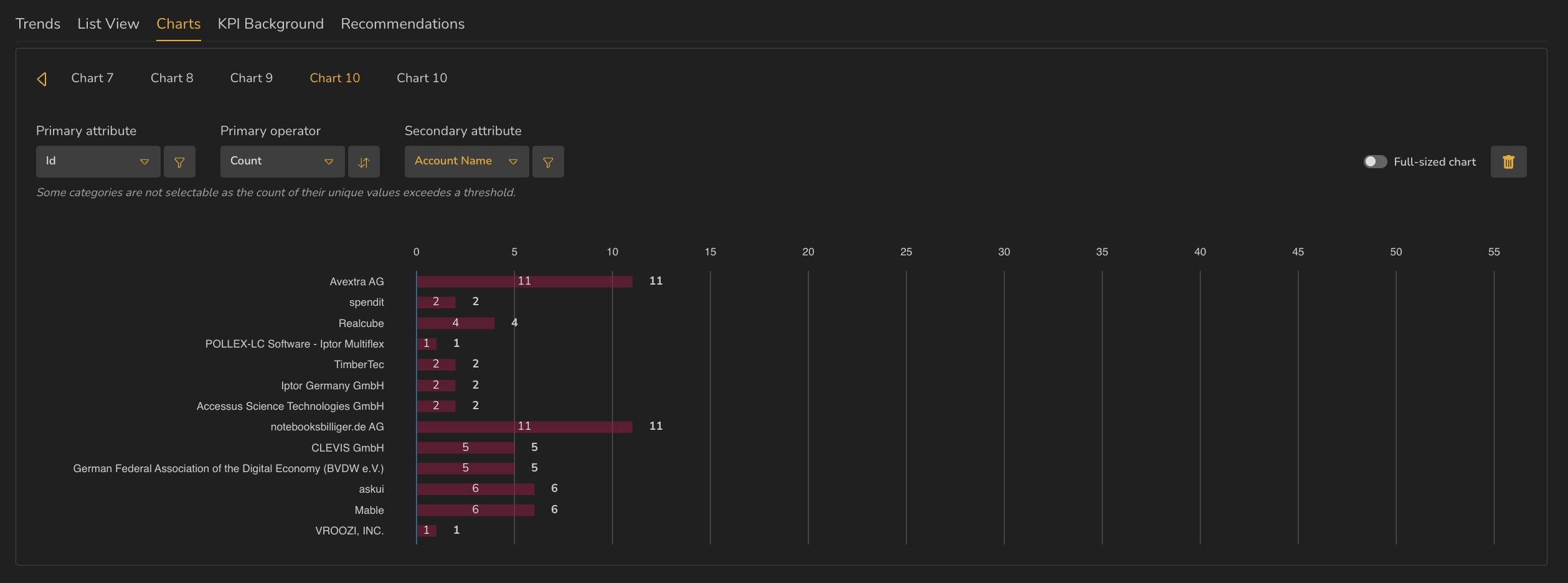
The Charts tab showing named chart tabs, dropdowns for primary attribute, primary operator and secondary attribute, and a horizontal bar chart counting records per account.

13. A KPI's Status reads Unvalidated but its figures look plausible. What is the honest thing to tell the person asking for it?

14. A KPI's Source reads Query Builder. What follows from that?

15. You switch exchange-rate version. Which figures move?
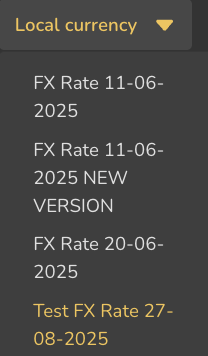
The currency selector open, listing Local currency above four named exchange-rate versions, two of which carry the same date.

16. Reading this header, when was the KPI's data last refreshed, and who is accountable for it?
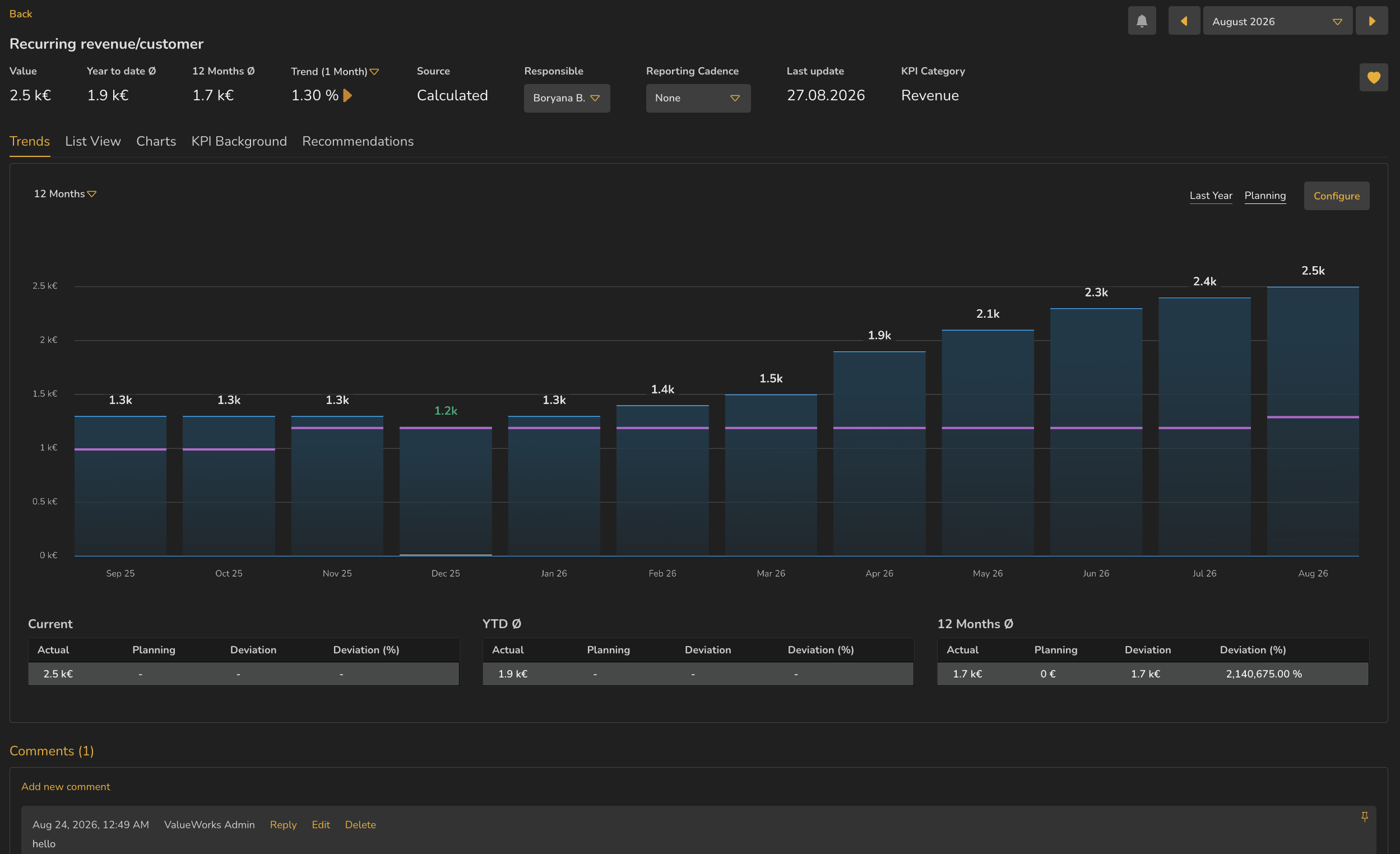
A KPI detail page showing the header with Value, Year to date, 12 Months average, Trend, Source, Responsible, Reporting Cadence, Last update and KPI Category, above the tab row and a twelve-month bar chart.