The AI description
Read and sanity-check an AI-written explanation of a KPI.
Someone has already written the explanation. It is worth knowing what it does and does not promise.
Every activated query carries a generated description, and it surfaces in two places. On the query itself, expanding the header reveals Notes and AI Description side by side. On the KPI, the same content appears as Query description on the KPI Background tab — so an analyst never has to open Query Builder to read it.
It gives a Summary, an Interpretation, the Formula written out in words, and the Data sources it draws on.
The limit is worth stating plainly: a generated description explains the formula, it does not validate it. If the query is wrong, the description will explain the wrong query fluently. Trust it to tell you what the calculation does; use Status on KPI Background to ask whether anyone has agreed it should.
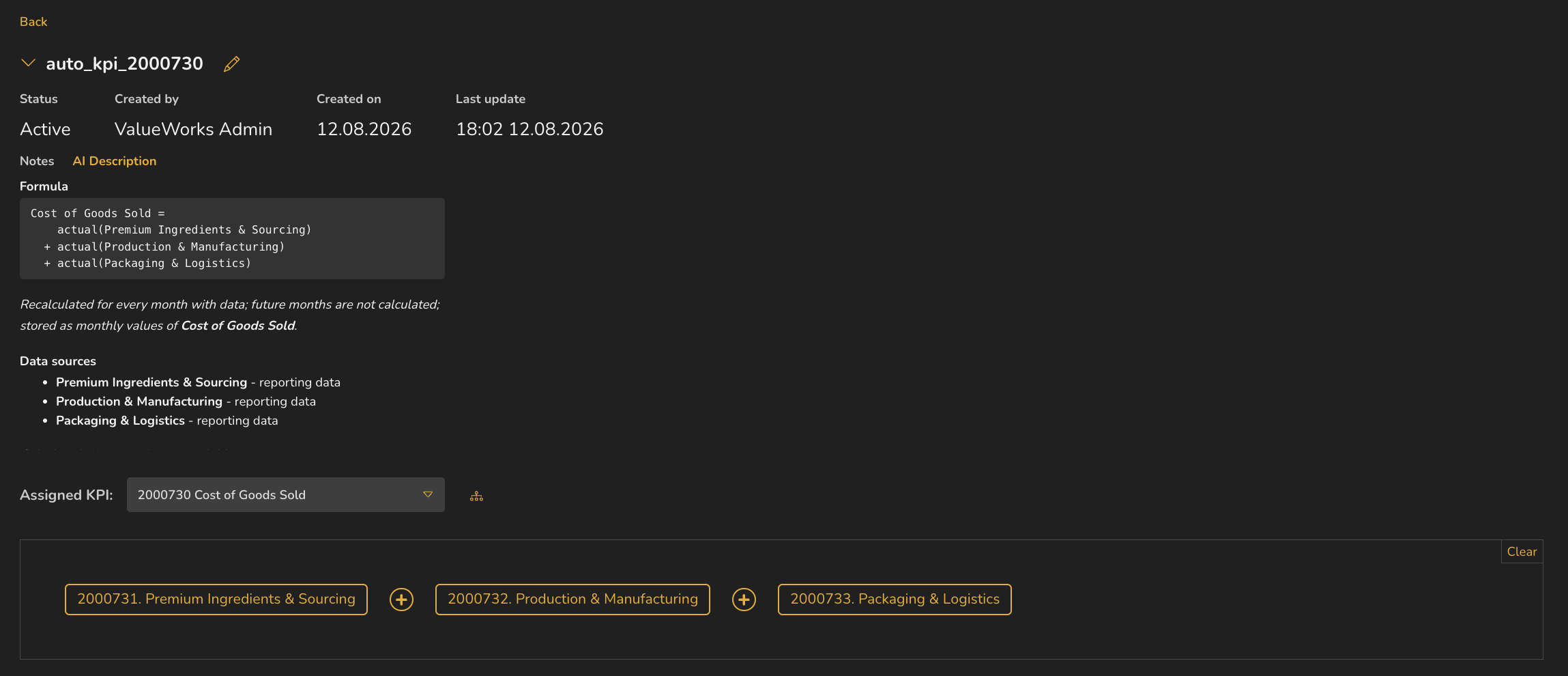
- 1Expanded header — Status, Created by, Created on, Last update
- 2Notes and AI Description tabs
- 3Formula
- 4How and when it recalculates
- 5Data sources
ValueWorks 2026.08
Takeaways
The same description appears under AI Description on the query and as Query description on KPI Background.
It gives Summary, Interpretation, the Formula in words, and the Data sources.
It explains the formula; it does not validate it.
Surfaces covered
- Query Builder
Also taught in the Academy
Module 3 · Investigate a number
Take it as lesson 3.5 in Business Analyst & FP&A