Deep drills
Use a prepared analysis rather than building one.
The analysis you were about to build may already exist.
A deep drill is a saved analysis of one KPI. You reach it two ways: from the Deep Drills panel below the tiles on either My Dashboard tab, or from the Deep Drills tab on the KPI's own detail page, where only that KPI's drills appear.
Each drill names the KPI it belongs to and combines a chart with the table behind it. A recurring-revenue drill, for example, splits each month into unchanged, expanded, new, reduced and churned customers, with the resulting recurring revenue drawn as a line across the top — which turns a single movement into an explanation.
On My Dashboard, Edit Deep Drills changes which drills appear, and named drills sit in a row with arrows at either end when there are more than fit.
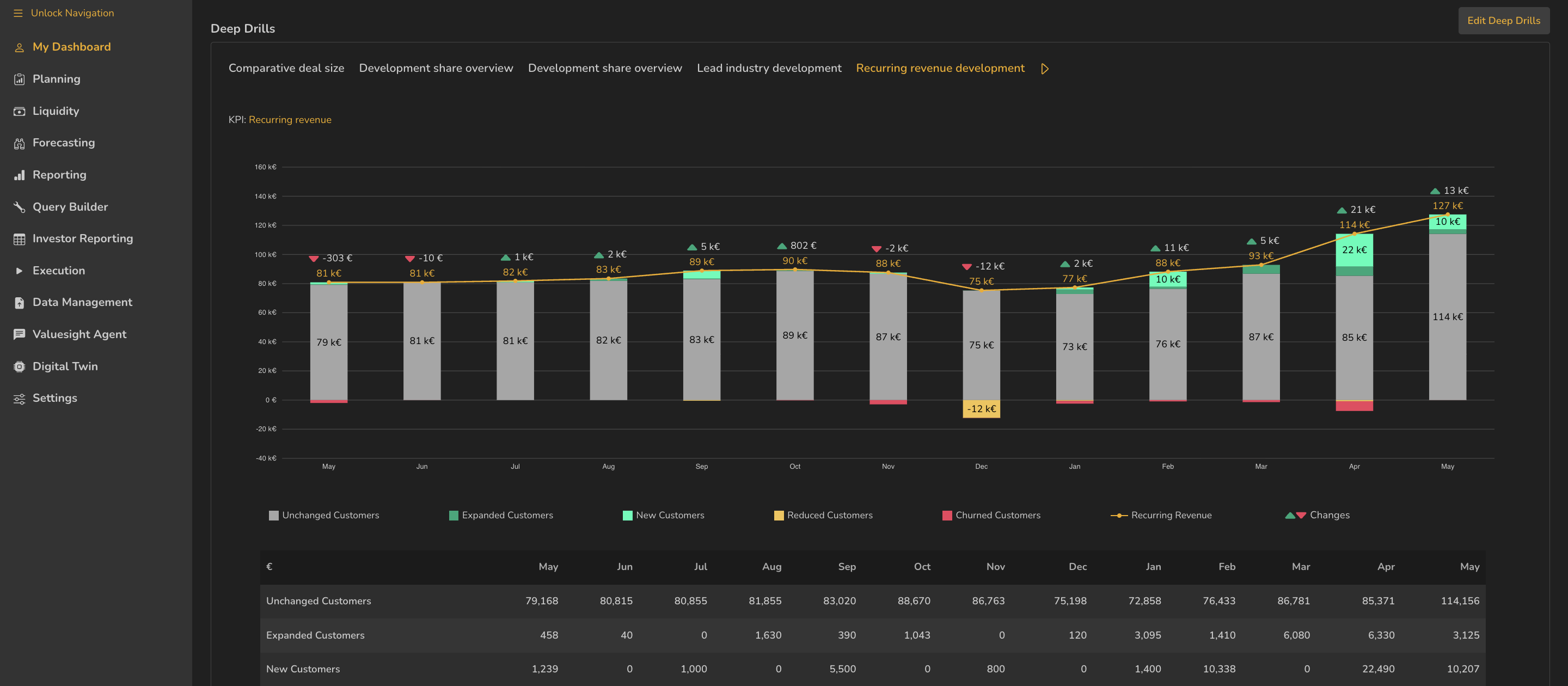
- 1Named drills across every KPI, with arrows for more
- 2The KPI this drill analyses
- 3Edit Deep Drills
- 4Legend — unchanged, expanded, new, reduced and churned customers
- 5Supporting table
ValueWorks 2026.08
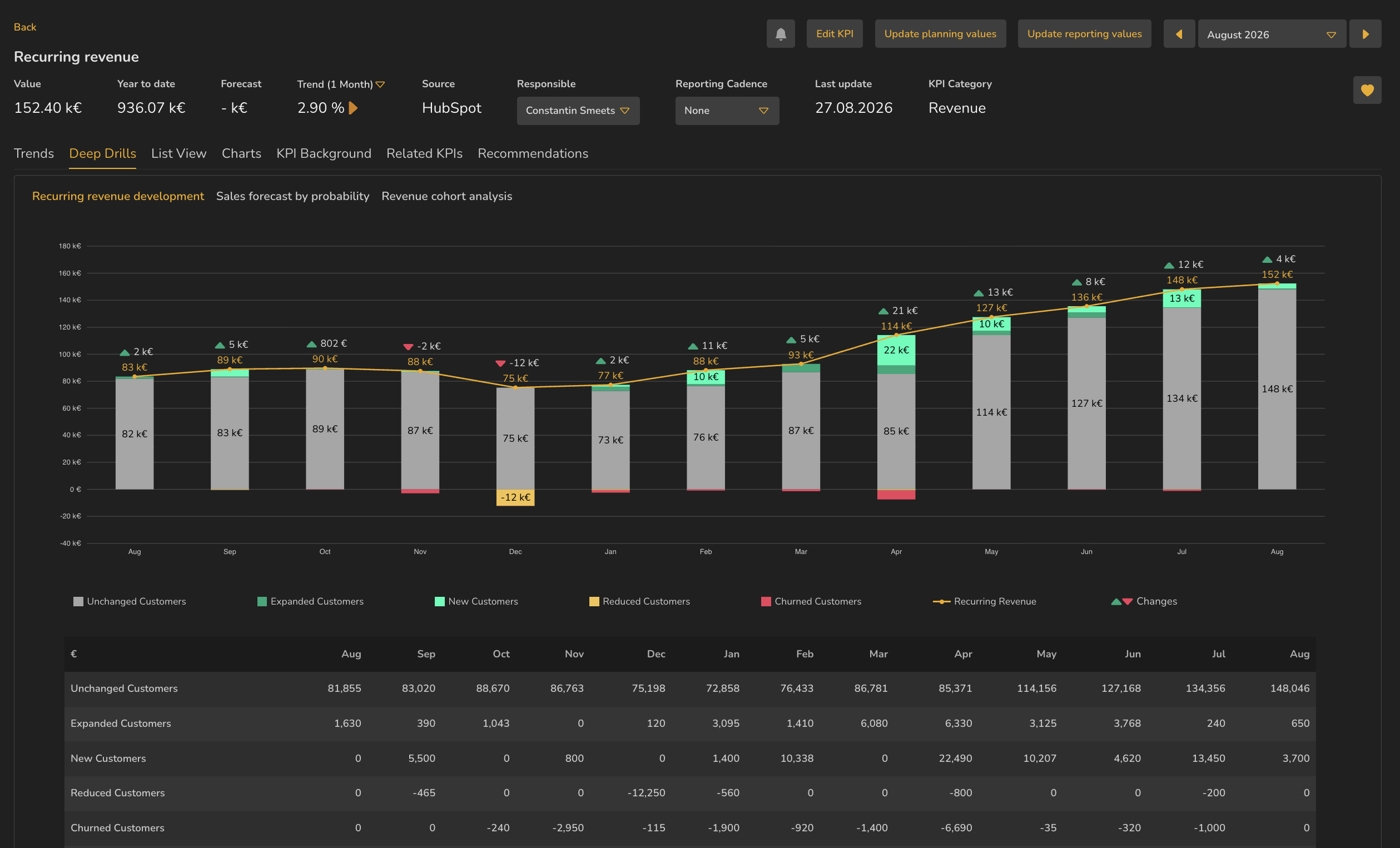
- 1Deep Drills tab, between Trends and List View
- 2Only this KPI's drills — three, here
- 3Related KPIs tab, also present on this KPI
ValueWorks 2026.08
Takeaways
A deep drill is a prepared analysis of one KPI.
Find them below the tiles on both My Dashboard tabs, and on the KPI detail page under Deep Drills.
They answer why did this move, not just what is it.
Surfaces covered
- My Dashboard
- Reporting
Also taught in the Academy
Module 3 · Investigate a number
Take it as lesson 3.9 in Business Analyst & FP&A