Lesson 1 of 8 · 3 min
Three views of the same statement
Switch between the three views and say what each is for.
Most people find one view and never discover the other two.
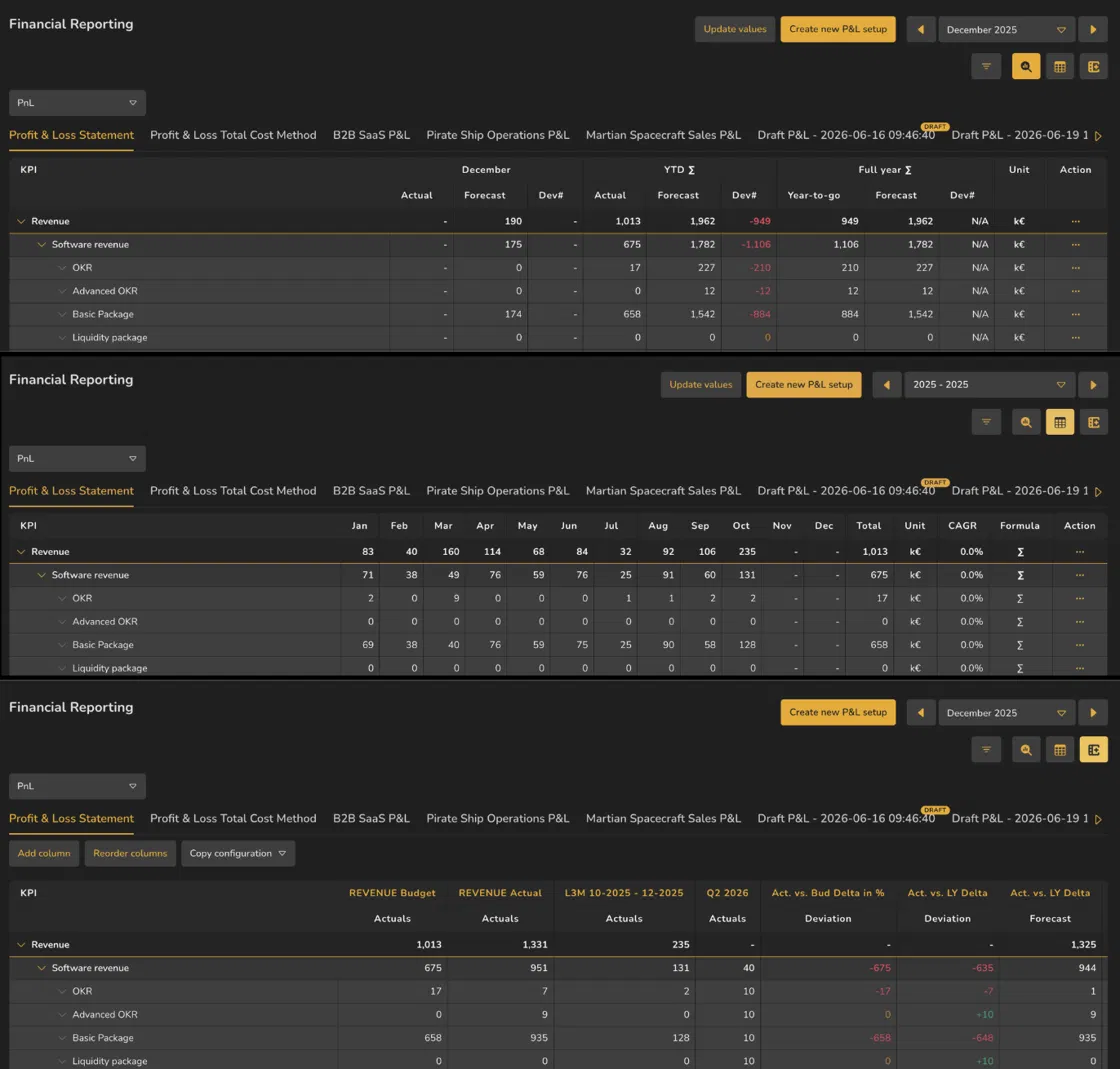
Three icons above the statement switch between three different tables built on the same numbers.
Actual Overview spreads a whole period across columns — one per month, quarter or year — with a Total at the end. This is the view for reading a year.
Actual Comparison focuses on a selected period and keeps YTD and Full year summaries alongside it. When a comparison is selected, the view places that comparison and Dev next to the current values.
Flexible Columns drops the calendar entirely and lets you define your own columns, each with its own name and data type. This is the view for a statement that has to match a format someone else set.
The date picker changes with the view: Actual Overview asks for a range, the other two for a single period.

- 1Options bar toggle
- 2Actual Comparison
- 3Actual Overview
- 4Flexible Columns
ValueWorks 2026.08
Try this in your tenant — open the same statement in all three views and notice what happens to the date picker each time.
Takeaways
Actual Overview — a period across columns. For reading a year.
Actual Comparison — a selected period with YTD and Full year summaries, shown against the chosen comparison.
Flexible Columns — columns you define yourself. For matching someone else's format.
Surfaces covered
- Reporting
- Financial Reporting
Micro-check
Two quick questions
Practice only — nothing here is scored or recorded.
1. You want to see how each month of last year moved. Which view?
2. You switch from Actual Overview to Actual Comparison. What happens to the date picker?