Lesson 3 of 10 · 3 min
Where does this number come from?
Open the query behind a KPI and identify its inputs.
Some numbers arrive from another system. Others are worked out here — and those you can read.
Where a KPI's Source reads Query Builder, the figure is calculated rather than imported, and the calculation is readable.
Open Query Builder and the list shows every query with its Query title, the KPI Name it feeds, the KPI Id, the Creator and a Status of Active or Draft.
Opening one shows the Assigned KPI it populates and a canvas holding the components it combines. That canvas is the answer to "where does this number come from", and it is one click deeper than most people ever go.
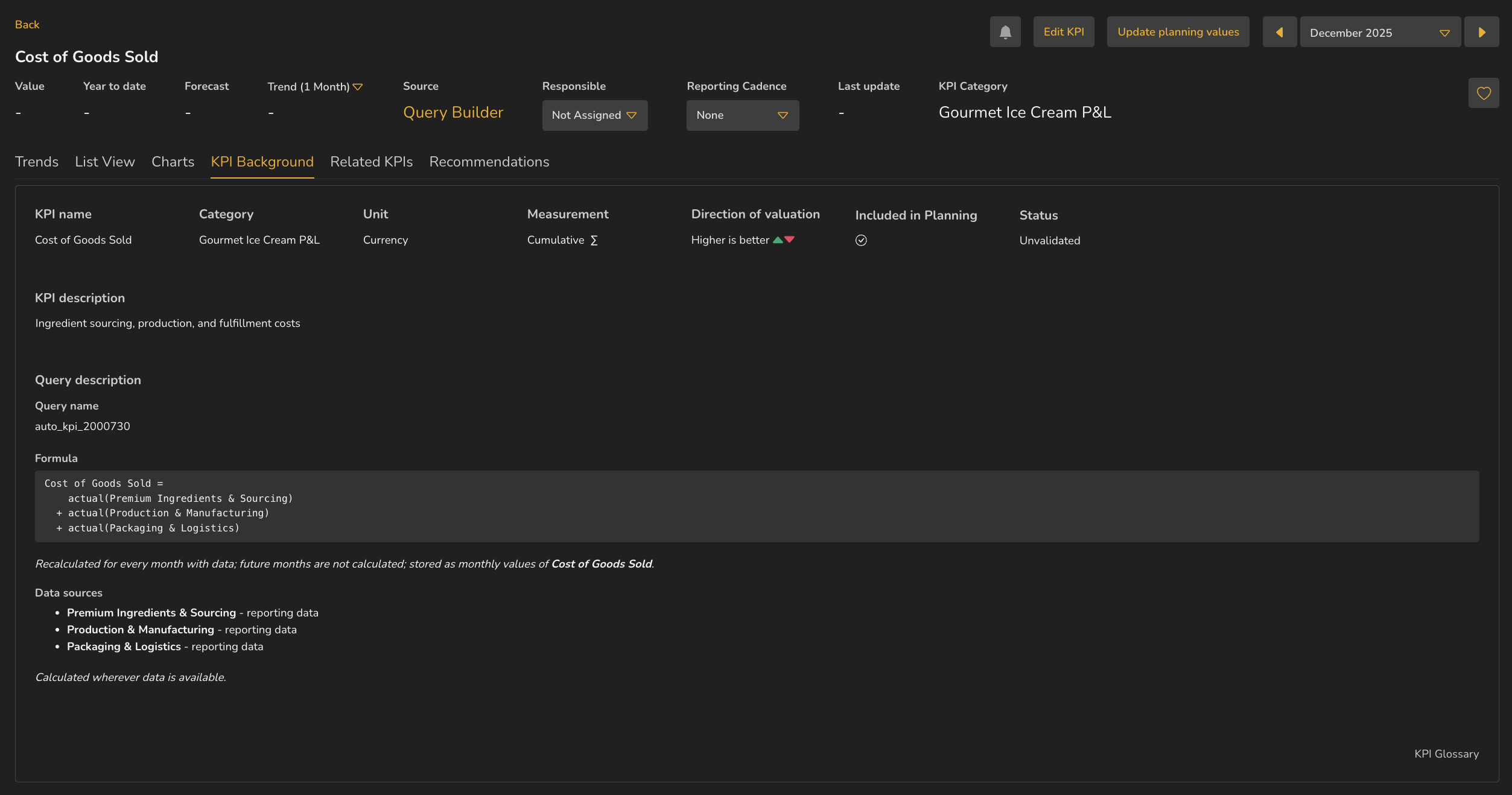
- 1Source — Query Builder, so the figure is calculated
- 2Query name
- 3Formula, written out
- 4Data sources
- 5Related KPIs tab, present because this KPI has children
ValueWorks 2026.08
Try this in your tenant — open KPI Background on a KPI whose Source reads Query Builder, and read the Query description without leaving the page.
Takeaways
Source: Query Builder means the figure is calculated, and the calculation is readable.
The Assigned KPI field tells you which KPI a query populates.
The query canvas is the deepest available answer to where a number came from.
Surfaces covered
- Reporting
- Query Builder
Micro-check
Two quick questions
Practice only — nothing here is scored or recorded.
1. A KPI's Source reads HubSpot rather than Query Builder. What does that tell you?
2. What does the Assigned KPI field on a query tell you?