Lesson 6 of 10 · 3 min
List views
Get from a total to the individual rows behind it.
Every aggregate has rows underneath it, and this is where they are.
The List View tab shows the underlying records — for a bookings KPI, one row per deal, with columns like Account Name, Revenue, Currency and the source system's own identifiers.
Each column header carries a filter, so you can narrow to one account or one currency without leaving the page. Clear all filters resets them, and it is worth pressing before you conclude anything: a filter someone left on is the most common reason a list looks emptier than it should.
A search box covers the whole table, and a settings icon opens the column configuration, where you choose which fields appear and in what order.
The download icon offers two exports, and the difference matters. The original download gives every field as the source system delivered it, whatever you have configured on screen. The customised download gives the columns you chose, in the order you put them. Reach for the original when someone needs to reconcile against the source; reach for the customised one when they need to read it.
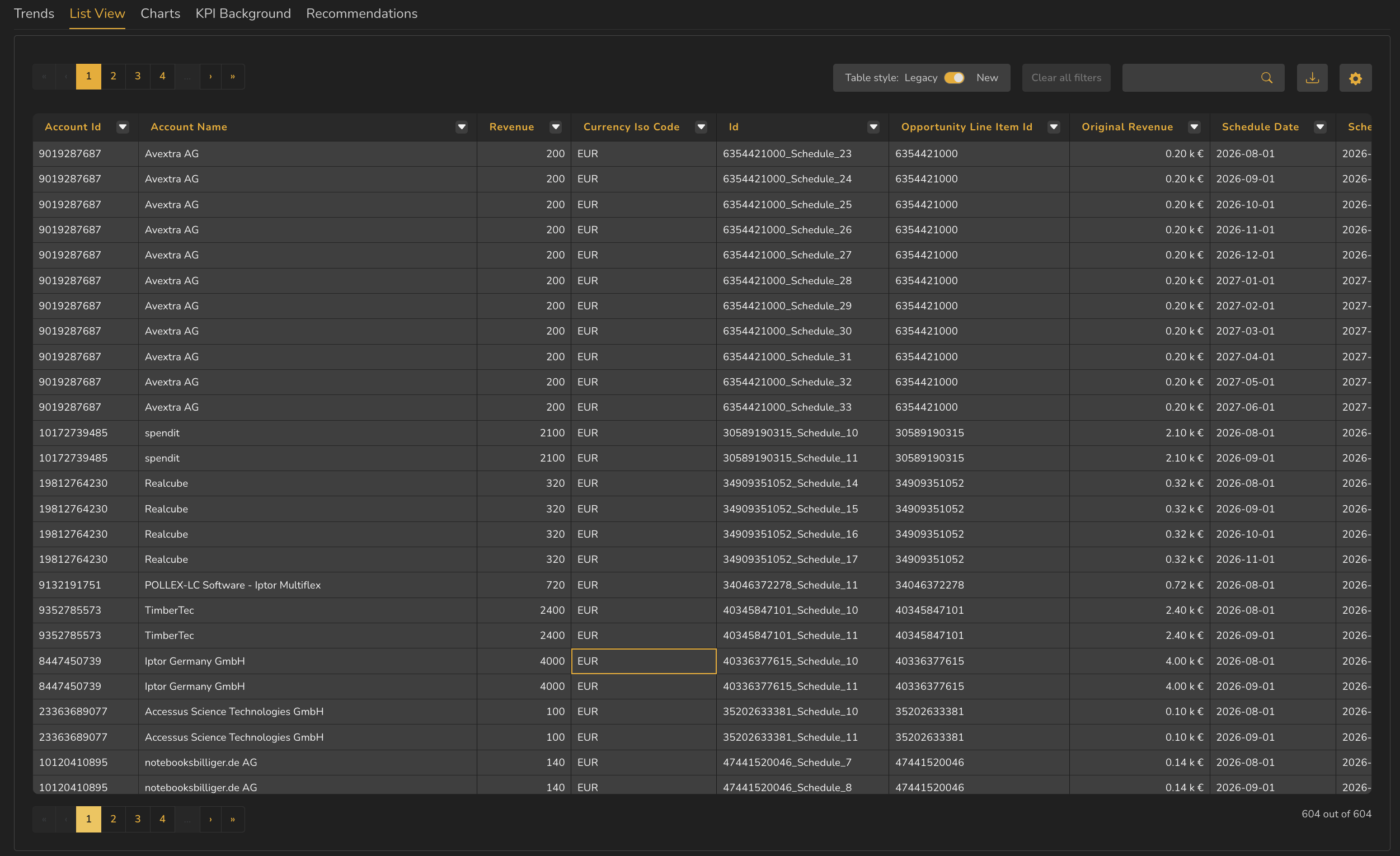
- 1Column filter, on every header
- 2Clear all filters
- 3Search across the table
- 4Download — original or customised
- 5Column settings
- 6Row count — 604 out of 604, with none filtered out
ValueWorks 2026.08
Takeaways
List View shows the individual records behind an aggregate.
Every column header filters, and the row count reads n out of n — press Clear all filters if the two numbers differ.
The settings icon controls which columns appear.
Two exports: original gives the source fields, customised gives your configured columns.
Surfaces covered
- Reporting
Micro-check
Two quick questions
Practice only — nothing here is scored or recorded.
1. A colleague says the list view is missing most of its rows. What do you check first?
2. What does the settings icon on the List View toolbar control?