Lesson 1 of 6 · 3 min
Your first screen
Navigate the platform and get help.
Twelve areas in the left menu, and the number you need sits behind exactly one of them.
My Dashboard is your own selection of KPIs and the only personal area. Reporting holds every dashboard - standard or custom. Planning consists of Financial Planning and Operational Planning. Liquidity shows cash position and runway, and the scenarios behind them. Forecasting projects actuals forward using a chosen method. Query Builder defines how KPIs calculate. Data Management shows where their data comes from. Digital Twin models how they connect to each other. Execution tracks what you do about them. Valuesight Agent answers questions across all of it, and Settings manages users and access.
Four controls sit outside that structure. The currency dropdown in the top bar sets which currency or exchange-rate version every figure is shown in. Beside it, a speech-bubble icon opens My activities , and a countdown shows how long your session has left.
At the bottom left, Ask ValueWorks answers questions about using the product, Knowledge Base opens the documentation, and Report Issue flags a problem. Unlock Navigation pins the menu open; the moon icon switches to dark mode.
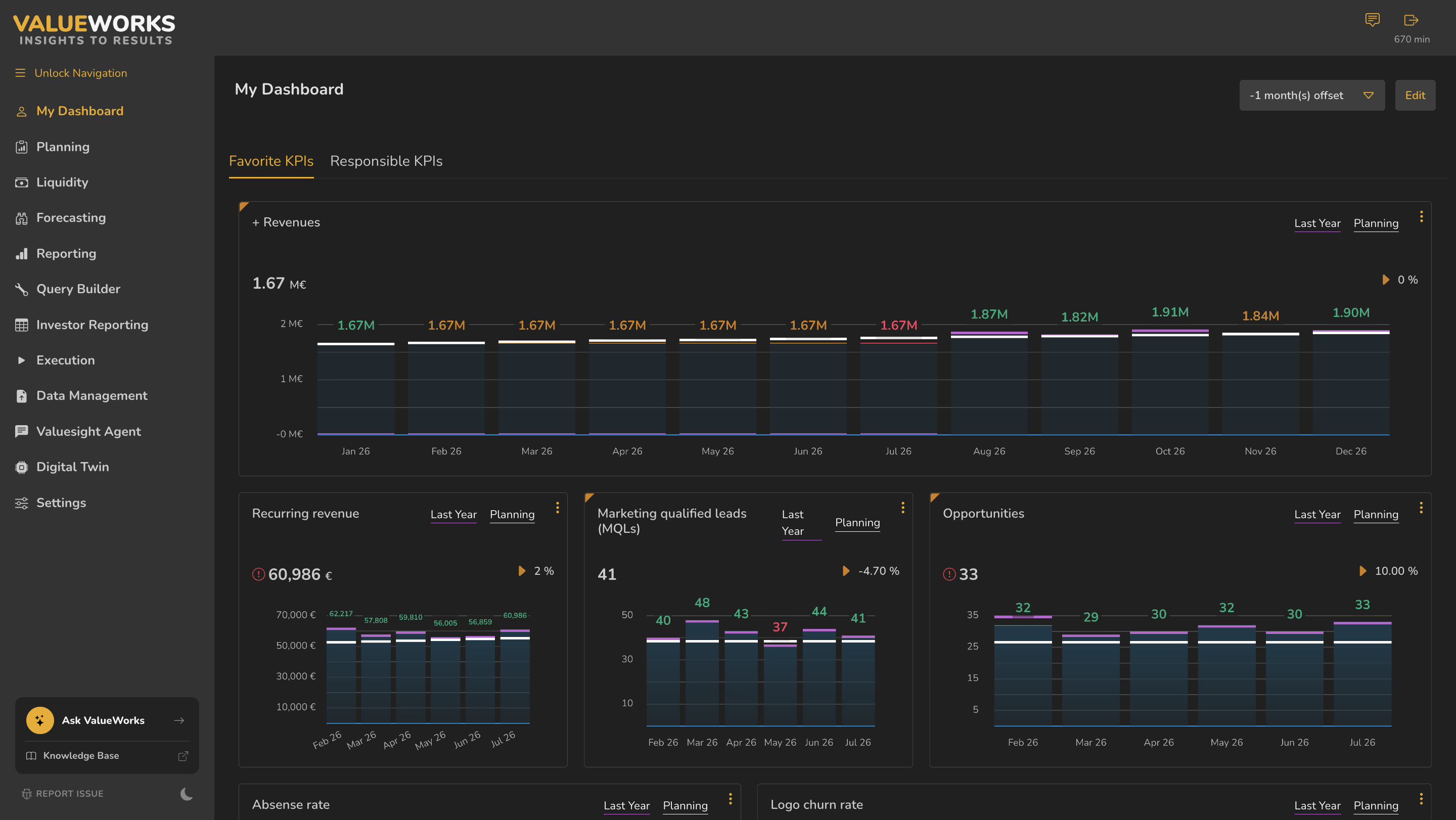
- 1Left navigation
- 2Currency dropdown
- 3My activities icon
- 4Session countdown
- 5Ask ValueWorks
- 6Knowledge Base
- 7Report Issue
- 8Unlock Navigation
ValueWorks 2026.08
Try this in your tenant — open each of the twelve areas once and write one sentence on what lives there.
Takeaways
My Dashboard is the only area that is yours alone.
Ask ValueWorks answers questions about the product; Valuesight Agent answers questions about your data.
The currency dropdown applies across the platform, not to one screen.
Surfaces covered
- Left nav (13 areas)
- Currency dropdown
- My activities
- Session countdown
- Ask ValueWorks
- Knowledge Base
- Report Issue
- Unlock Navigation
- Dark mode
Micro-check
Two quick questions
Practice only — nothing here is scored or recorded.
1. You’ve arranged My Dashboard exactly how you want it. How do you give a colleague access to see it?
2. Your CFO asks what happens to runway if you lose your largest customer. Two areas could answer that. Which two?