Lesson 4 of 6 · 3 min
Favorite and Responsible KPIs
Use both dashboard tabs for their purpose.
One tab is what you chose to watch. The other is what you’ll be asked about.
Favorite KPIs shows the KPIs you chose to follow. Responsible KPIs shows those where you’re named as responsible — you don’t pick this list, and a badge on the tab shows how many there are.
Below the tiles, the Responsible tab continues with My Objectives and Key Results for the current quarter: your objective cards with owner and progress, and a table of key results showing department, linked KPI, status, start, target, actual and progress.
Deep Drills sits at the bottom of both tabs — scroll past the tiles to reach it. Each named drill analyses one KPI, shown as a link at the top. Edit Deep Drills changes which drills appear.
A drill combines a chart and a table. The recurring-revenue drill, for example, breaks each month into unchanged, expanded, new, reduced and churned customers, with the resulting recurring revenue as a line across the top.
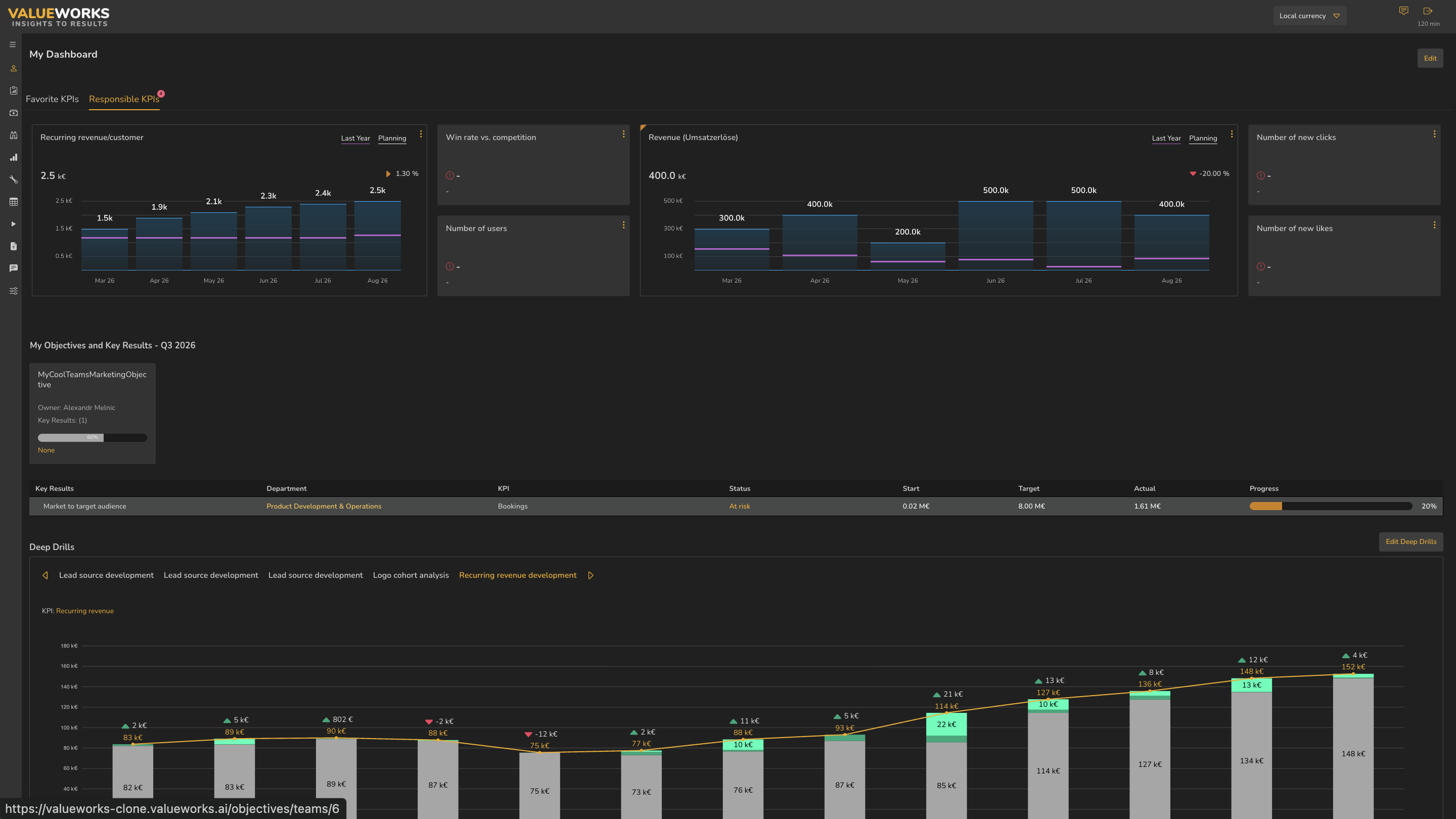
- 1Responsible KPIs tab with count badge
- 2KPI tiles
- 3My Objectives and Key Results
- 4Key results table
- 5Deep Drills panel
ValueWorks 2026.08
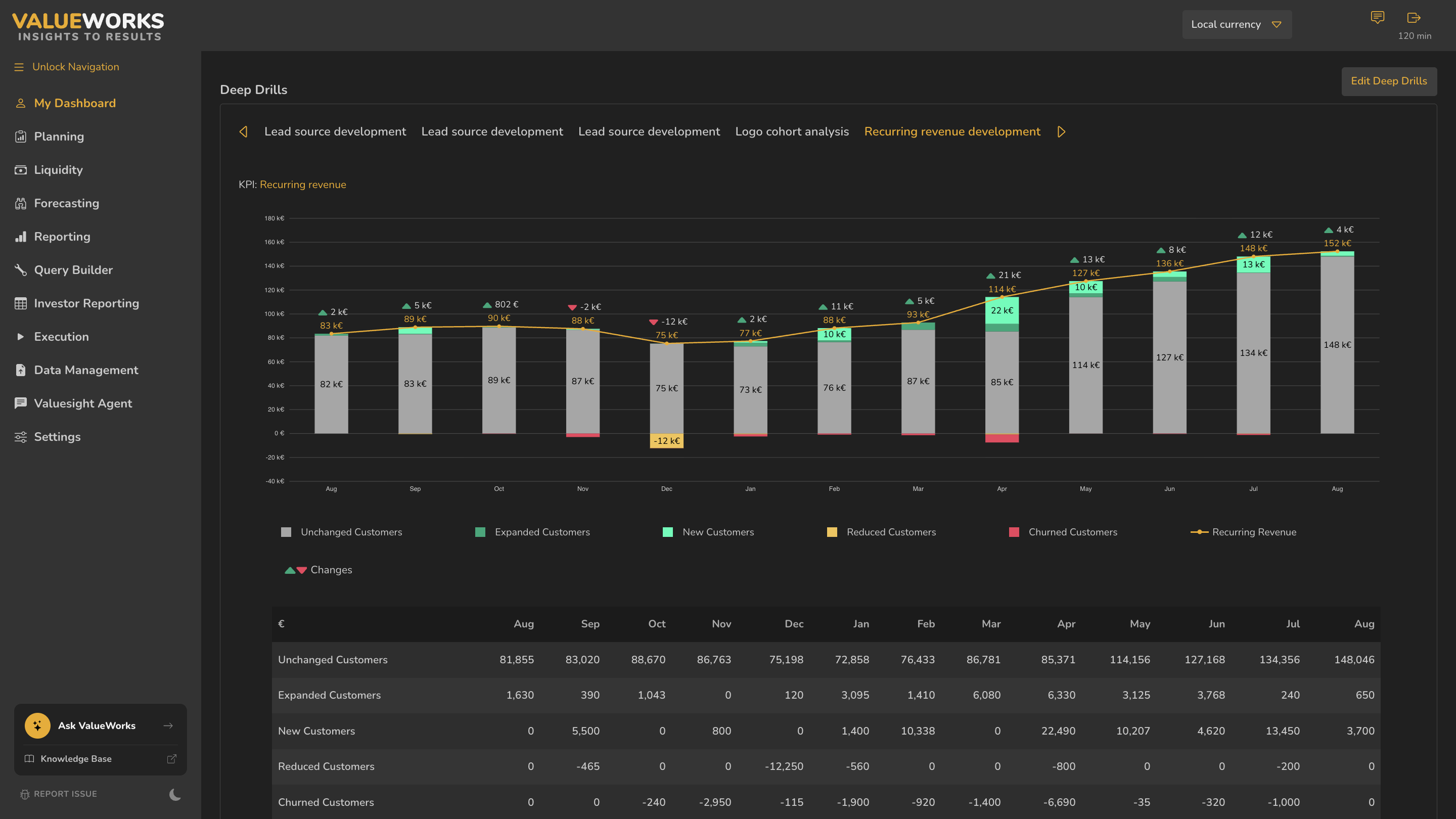
- 1Named drill tabs, with arrows for more
- 2The KPI this drill analyses
- 3Edit Deep Drills
- 4Stacked bars by customer movement
- 5Recurring revenue line
- 6Legend
- 7Supporting table
ValueWorks 2026.08
Try this in your tenant — open your Responsible KPIs tab, note how many KPIs you’re accountable for, then scroll to the bottom to see which deep drills exist.
Takeaways
Favorite = what you chose. Responsible = what you’ll be asked about, with a count on the tab.
The Responsible tab also carries My Objectives and Key Results below the tiles.
Deep Drills sits at the bottom of both tabs — scroll past the grid.
Surfaces covered
- Both tabs
- Count badge
- My Objectives and Key Results
- Deep Drills below the tiles on both tabs
Micro-check
Two quick questions
Practice only — nothing here is scored or recorded.
1. The Responsible KPIs tab carries a badge reading 4. What is it counting?
2. Where do My Objectives and Key Results appear?